Run 2 Unblocked — Play Free Online
More Runners & Driving games

Run 2 unblocked: play Run 2 online free right here in your browser — no download, no sign-up, works on a school Chromebook.
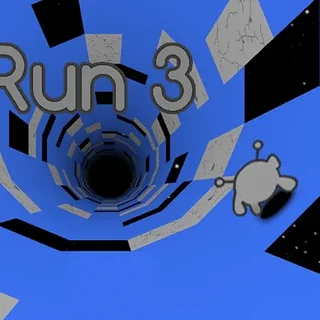
Run 2 is a celebrated 3D runner and gravity-defying platformer set inside endless floating corridors in deep space. Controlling a nimble alien avatar, you sprint along modular tunnel structures where missing tiles create treacherous gaps into the void. What made this game an enduring web classic is its dynamic spatial navigation: the walls are not boundaries, but alternate running surfaces waiting to be claimed.
Every level challenges your situational awareness and timing. As you barrel forward through the cosmic architecture, stepping onto a side wall immediately rotates the camera and the gravity vector, transforming that vertical surface into your new floor. This rotation mechanic turns each stage into a fluid spatial puzzle where choosing the right path along the four tunnel planes determines whether you clear the gap or plummet into the abyss.
Players can tackle courses using two distinct characters: the Runner and the Skater. The standard Runner provides responsive acceleration and sharp ground traction, making it ideal for navigating intricate tile patterns and tight landing zones. The Skater glides at a much higher baseline velocity and launches across wide chasms with extended hang time, rewarding confident players who can anticipate turns well before they arrive.
How to play
Steering is simple and direct. Use the Left and Right arrow keys or A and D to move laterally across the current floor. Running directly into an adjacent wall causes the stage to roll ninety degrees under your feet. Press the Up arrow key or the Spacebar to jump over missing floor segments and floating obstacles.
A typical run demands continuous route planning. The speed of your character never decreases, so you must constantly look several tiles ahead to identify intact platforms. If you misjudge a leap and fall off the edge, the stage restarts instantly, letting you refine your movement route without delay.
Tips for clearing difficult levels
Rotating the tunnel early gives you more time to adjust to upcoming gaps. When you see a broken stretch on your current floor, jump toward a solid wall well before reaching the edge rather than scrambling at the last second.
Match your character choice to the level layout. Intricate stages with staggered single-tile landings heavily favor the Runner, while courses with vast empty voids are often much simpler with the Skater's prolonged jump distance.
Keep your movement centered on narrow corridors. Drifting too close to an outer rim without intending to rotate can result in an accidental tumble into deep space.
Similar games on Murlokio
If you enjoy the fast-paced reflexes and vertical navigation of Run 2, explore other action-oriented titles on Murlokio like Knightmare Tower and Apple Knight. For sessions where you prefer tactical depth and story progression over pure speed, classic browser RPGs such as Murlokio and Swords and Sandals 2: Emperor's Reign provide deep character building and turn-based combat.
Run 2 runs seamlessly in your web browser with no installations or setup required, making it easy to jump in for quick speedrun attempts on desktop computers and Chromebooks.
Questions about Run 2
Is Run 2 unblocked at school?
Run 2 runs in an ordinary browser tab from murlokio.com, with nothing to download or install, so it plays on most school Chromebooks and work computers. If a network filter blocks the site, only that network's administrator can change it.
What is the difference between the Runner and the Skater in Run 2?
The Runner offers balanced speed and precise jumping control for narrow platforms. The Skater moves significantly faster and jumps farther, making large gaps easier but requiring faster reflexes on tight turns.
How does gravity shifting work in Run 2?
When you run into the side walls of a tunnel, the entire level rotates so the wall becomes your new floor. This lets you bypass gaps and obstacles on your current path.
What controls are used to steer and jump in Run 2?
Use the Left and Right arrow keys or A and D to move sideways and rotate into walls. Press the Up arrow key or Spacebar to jump over empty space.
Can I play Run 2 on a Chromebook or laptop?
Yes. Run 2 runs smoothly directly in modern desktop and laptop web browsers without needing extra plugins, downloads, or software installations.